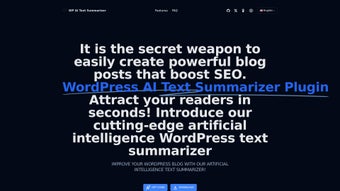

Download WP AI Text Summarizer – AI‑Powered Blog Summary Tool for SEO
Overview
WP AI Text Summarizer is an open‑source WordPress plug‑in that automatically creates concise, SEO‑friendly summaries for any blog post. By leveraging state‑of‑the‑art natural language processing, the tool captures the core message of the original article while trimming excess fluff, producing a punchy paragraph that can be displayed as a meta description, social snippet, or on‑page teaser. This capability not only saves hours of manual editing but also improves click‑through rates by presenting readers with clear, compelling previews.
The plug‑in integrates directly into the WordPress editor, offering a single‑click “Generate Summary” button on the post screen. Users retain full control: the AI‑generated text can be edited, the length adjusted, and the tone customized to match brand voice. Because the software is open source, developers can extend its functionality or contribute improvements, ensuring the tool stays up‑to‑date with the latest AI models.
In short, WP AI Text Summarizer transforms the tedious summarization step into an effortless, secure, and repeatable process, allowing content creators to focus on what they do best—writing great content.
Key Features & Customization Options
- One‑Click Summary Generation: Add a “Generate Summary” button to the post editor for instant AI‑driven output.
- Adjustable Length & Style: Choose short (1‑2 sentences) or medium (3‑4 sentences) summaries, and set tone options such as formal, conversational, or persuasive.
- Editable AI Output: Summaries appear in an editable textarea, letting you fine‑tune wording before publishing.
- SEO Integration: Automatically insert the summary into the meta description field or as a featured excerpt for improved SERP visibility.
- Open‑Source Architecture: Fully transparent codebase on GitHub, enabling community contributions and custom extensions.
- Multi‑Language Support: Built on language‑agnostic AI models, the plug‑in can summarize content in dozens of languages.
- Secure API Calls: All AI processing occurs over HTTPS with token‑based authentication, protecting your content and data privacy.
- Automatic Updates: The plug‑in checks for new releases weekly and prompts you to update with a single click.
These features combine to make WP AI Text Summarizer a versatile tool for both novice bloggers and seasoned SEO professionals. The adjustable length controls help you match the summary to the platform where it will appear—short for Twitter cards, medium for Google snippets, or longer for internal navigation blocks. The open‑source nature also means you can host your own AI model if you prefer to keep processing completely in‑house, further enhancing data security. Overall, the plug‑in’s blend of automation, flexibility, and transparency positions it as a must‑have addition to any WordPress SEO toolkit.
Installation, Usage & Compatibility
Getting WP AI Text Summarizer up and running is straightforward, even for users with limited technical experience. Follow these steps to install and start generating summaries:
- Download the Plugin: Visit the official GitHub repository or the WordPress.org plugin directory and click “Download”. The file will be a ZIP archive named
wp-ai-text-summarizer.zip. - Upload to WordPress: In your WordPress dashboard, navigate to Plugins → Add New → Upload Plugin. Choose the ZIP file and click “Install Now”.
- Activate the Plugin: After installation, press “Activate”. The plug‑in will add a new menu item under Settings → WP AI Summarizer where you can configure API keys and default summary settings.
- Configure API Access: The plug‑in uses a hosted AI service (or your own self‑hosted model). Enter the API endpoint and authentication token provided by your AI provider. Test the connection with the “Verify” button.
- Set Default Preferences: Choose default summary length, tone, and whether to auto‑populate the meta description field. Save changes.
- Generate Summaries: Open any post in the Gutenberg editor. A “Generate Summary” button appears in the sidebar. Click it, wait a few seconds, and the AI‑crafted summary appears in an editable box.
- Fine‑Tune & Publish: Edit the text if needed, then click “Insert as Excerpt” or “Save as Meta Description”. Finally, publish or update the post.
WP AI Text Summarizer is built specifically for the WordPress environment, which means it works on any server that meets WordPress’s standard requirements: PHP 7.4 or higher, MySQL 5.6+ (or MariaDB 10.1+), and a web server such as Apache or Nginx. Because the plugin runs inside WordPress, it is compatible with both Windows‑based and Linux‑based hosting platforms. Mobile‑friendly administrators can also manage settings from the WordPress mobile app, ensuring you can generate summaries on the go.
Once installed, the plug‑in adds a small footprint to your site—approximately 2 MB of additional code—and loads its scripts only on post‑editing screens, preserving front‑end performance. Regular updates are delivered through the WordPress dashboard, keeping the AI model and security patches current without manual intervention.
Pros, Cons, FAQ & Conclusion
Pros
- Instant, one‑click summary generation saves time.
- Highly customizable length, tone, and language.
- Open‑source code encourages transparency and extensibility.
- Secure HTTPS API communication protects content.
- Seamless WordPress integration with automatic meta‑description insertion.
Cons
- Requires an external AI service or self‑hosted model, which may involve additional cost.
- Initial setup of API keys can be confusing for beginners.
- Summaries depend on AI quality; occasional manual tweaks may be needed.
Frequently Asked Questions
Is WP AI Text Summarizer free to use?
The plug‑in itself is open source and free to download. However, it relies on an AI service that may have usage‑based pricing, unless you host your own model.
Can I edit the AI‑generated summary?
Yes. After generation, the summary appears in an editable textarea, allowing you to fine‑tune wording, add brand‑specific language, or shorten it further.
Does the plugin affect my site’s loading speed?
The plugin loads its scripts only on the post‑editing screen, not on the front end. Consequently, it has negligible impact on visitor load times.
What languages does WP AI Text Summarizer support?
The underlying AI model supports over 30 languages, including English, Spanish, French, German, Chinese, and Arabic. Language detection is automatic, but you can also force a specific language in the settings.
How do I keep the plugin updated?
Updates are delivered through the standard WordPress dashboard. When a new version is available, you’ll see a notification under Plugins → Installed Plugins. Click “Update Now” to install the latest release.
Conclusion & Call to Action
WP AI Text Summarizer bridges the gap between high‑quality content creation and efficient SEO optimization. By automating the summarization process, it frees writers from repetitive editing tasks, while ensuring that each post presents a clear, compelling preview to search engines and social platforms. Its open‑source nature, robust customization options, and secure architecture make it a reliable addition to any WordPress site aiming to boost visibility and user engagement.
If you’re ready to streamline your workflow and improve click‑through rates, download WP AI Text Summarizer today. Install the plug‑in in minutes, configure your AI endpoint, and start generating SEO‑ready summaries with a single click. Transform your blog posts into concise, powerful assets that attract readers and rank higher—without sacrificing your valuable writing time.






